


|
Version 17.0 February 6 2026 9.2 MB Installer |
|
|

Powerful automation to help you run your program as a Windows ServiceAutoIt is a free and very powerful automation utility that enables AlwaysUp to automatically interact with your application running as a Windows Service. With your customized AutoIt script, AlwaysUp can automatically:
Your AlwaysUp application can run entirely unattended - even in the face of windows that would normally stop the action when no one is around. Some useful AutoIt links:  Configuring AlwaysUp and AutoItEdit your application in AlwaysUp and activate the "Automation" tab to access the AutoIt settings: 
Please review the AlwaysUp User's Manual (PDF) for details on the settings. Sample AutoIt ScriptsPlease feel free to use these scripts for your own applications, adapting them for your unique situations as necessary. Note that in many cases, it may be best to create executables from your scripts using the AutoIt compiler (Aut2Exe.exe) so that sensitive information (such as passwords) are not stored in the clear. Note: We recently discovered that a few of the AutoIt functions, such as WinWaitActive() and WinActivate(), do not work properly when no one is logged on to the console and there is no "active" window. Hopefully you can use alternative functions as we have done in this sample script. Be sure to test thoroughly! ClickOK.au3This script will click the "OK" button on the message box below. 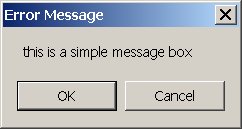
Note: This script will only work for this specific message box and you will have to modify it for others. AutoLogin.au3This script will enter a username, enter a password and click the OK button on the "Login" form below. 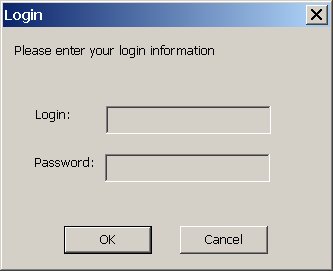
Note: This script will only work for this specific message box and you will have to modify it for others. ClickButton.au3This script will click a button on a specified window. It is invoked with two arguments, the name of the window and the name of the button. It can be used to dismiss the message box below by invoking it like this: ClickButton "Error Message" "OK" Feel free to download the pre-compiled executable (ClickButton.exe) with this functionality and use it in AlwaysUp without having to install AutoIt.
SendEnterKeyToWindow.au3This script will send the ENTER key to a specified window. It is invoked with one argument, the name of the window. It can be used to dismiss the message box below by invoking it like this: SendEnterKeyToWindow "Error Message"It works because the "OK" button already has focus. Feel free to download the pre-compiled executable (SendEnterKeyToWindow.exe) with this functionality and use it in AlwaysUp without having to install AutoIt.
Please contact us if you need help setting up AutoIt with your application. |
AlwaysUp & AutoItDownload & Try it Free!


| ||||||||

