(888) 881-CORE
ISO 27001 is an internationally recognized information security standard. It focuses on three core principles — confidentiality, integrity and availability (CIA) — and provides detailed guidance to help you keep your company’s information assets safe from bad actors, data breaches, extended downtime and much more.
AlwaysUp is our professional software that runs any application as a Windows Service. Today, many of the Fortune 500 companies rely on AlwaysUp to keep their key software running 24/7. And because every single one of those companies obsesses about information security, we do too. Indeed, we design and build all our software atop CIA principles.
Does your company operate an information security management system (ISMS) based on ISO 27001? If so, here are a five important Annex A controls that AlwaysUp will help you implement.

Annex A 5.15: Access Control
ISO 27001 Annex A 5.15 focuses on controlling access to information assets. Its objective is to ensure that employees only have access to the information they need to perform their duties. In other words, Annex A 5.15 is all about enforcing the principle of least privilege.
How AlwaysUp helps you control access
#1: Only admins can run AlwaysUp
AlwaysUp is restricted to administrators only. A standard user without admin rights cannot start the program on his own.
If a standard user attempts to start AlwaysUp, Windows prompts for admin credentials:
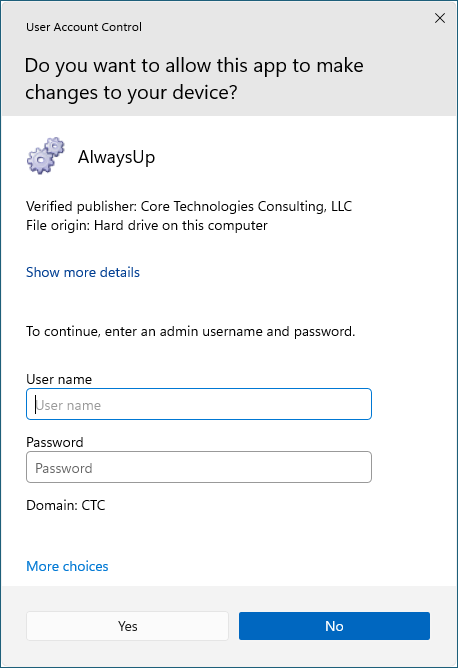
That important safeguard prevents untrusted (or untrained) individuals from updating your critical applications.
#2: You can restrict access to your AlwaysUp Windows Services
After you install your program as a service with AlwaysUp, you have the power to enforce who can start, stop, restart or edit the service.
That capability is available by selecting Advanced > Service Security Settings from the Application menu:
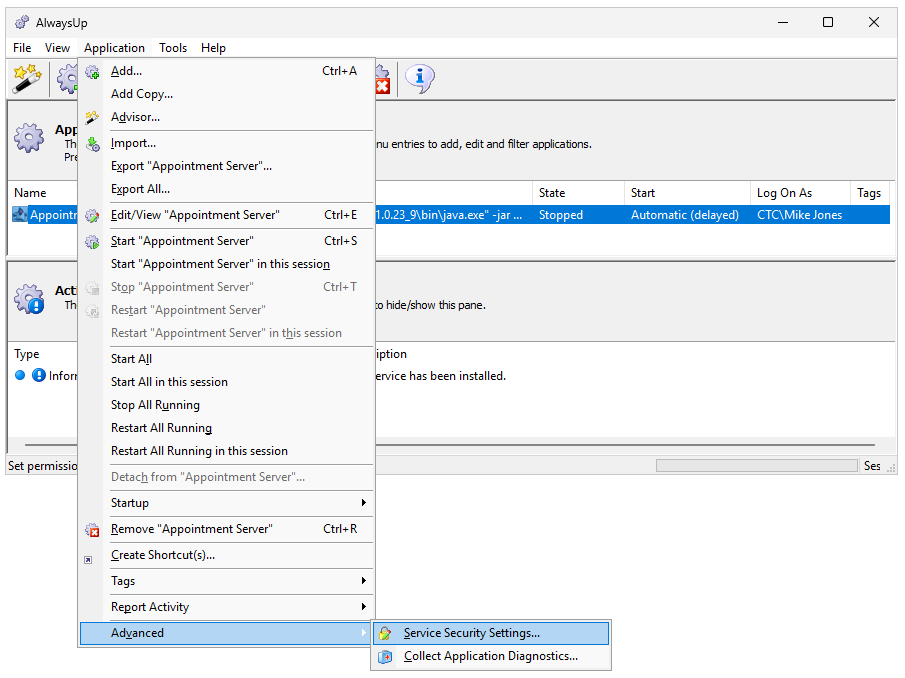
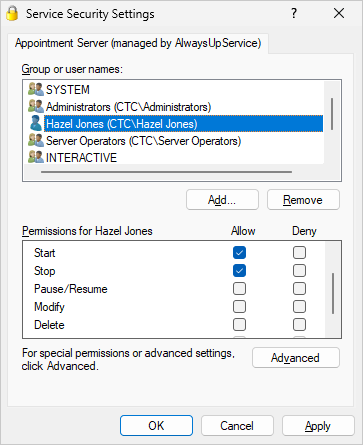
From there, it’s easy for you to specify what each user can do. For example, here’s how we allow Hazel Jones to start or stop the service, but not to modify or delete it:
#3: You can run your applications without admin rights
By default, Windows Services operate with full rights. There’s no User Account Control (UAC) in place, where an administrator can run an application without elevated rights. And that can violate the principle of least privilege.
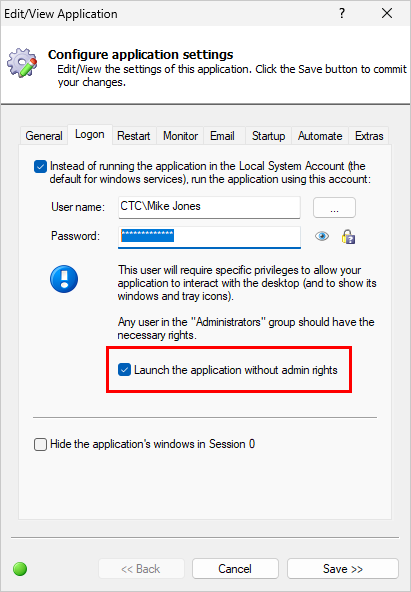
AlwaysUp fixes that shortcoming. With AlwaysUp, you’re able to launch your application in the context of a full blown administrator yet have those powerful admin rights removed when your application runs. That’s a sure fire way to limit what your application is able to do — and protect your systems.
The option to run your application with reduced rights is available on the Logon tab:
Annex A 5.30: Readiness for Business Continuity
Annex A 5.30 is an organizational control focusing on business resilience. It aims to prepare you to survive the inevitable operational bumps in the road as you serve your customers.
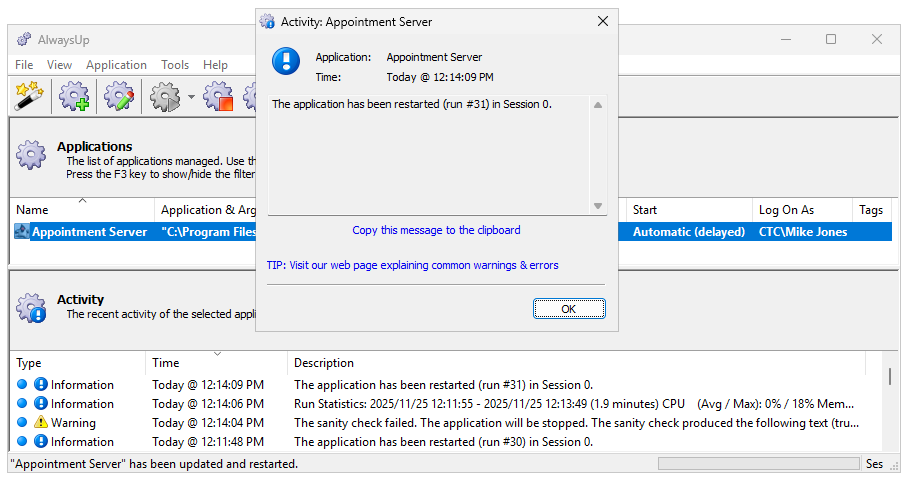
AlwaysUp is designed to be a core component of your resilience plan. By quickly detecting failures and automatically restarting your mission-critical software, AlwaysUp reduces interruptions and downtime. And that’s great for your Recovery Time Objective (RTO).
Annex A 8.9: Configuration Management
Annex A 8.9 emphasizes the need for standardized configurations in IT operations.
As ISO 27001 points out, relying on tested, predefined settings instead of having staff constantly “reinventing the wheel” is a guaranteed way to reduce risk, improve reliability and increase oversight.
How AlwaysUp helps with configuration management
#1: We’ve created guides for hundreds of applications
Did you know that our team has tested and documented how to set up over 160 popular programs with AlwaysUp? If you’re running one of those apps as a Windows Service, all you’ve got to do is follow our step-by-step instructions. There’s no need for you to re-engineer on your own.


#2: You can easily export and import standard configurations
Once you’ve settled on a configuration that works for your application, you can export it to a file. And to re-create that application on a different computer, all you’ve got to do is import the file there.
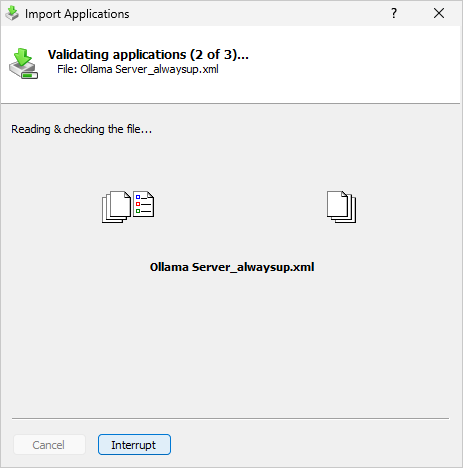
With that approach, your team will deploy the same, standard AlwaysUp configurations every time — exactly what Annex A 8.9 encourages.
Annex A 8.15: Logging
ISO 27001 stresses the importance of logging in robust, resilient systems. As such, the standard includes Annex A 8.15 to drive the point home.
AlwaysUp is aligned with the recommendations of Annex A 8.15. As it runs your programs as services, AlwaysUp writes key information to the Windows Event Logs — the standard, centralized location where applications report important software and hardware events.
Specifically, AlwaysUp writes entries to the Application event log. You can browse those records using the Event Viewer:
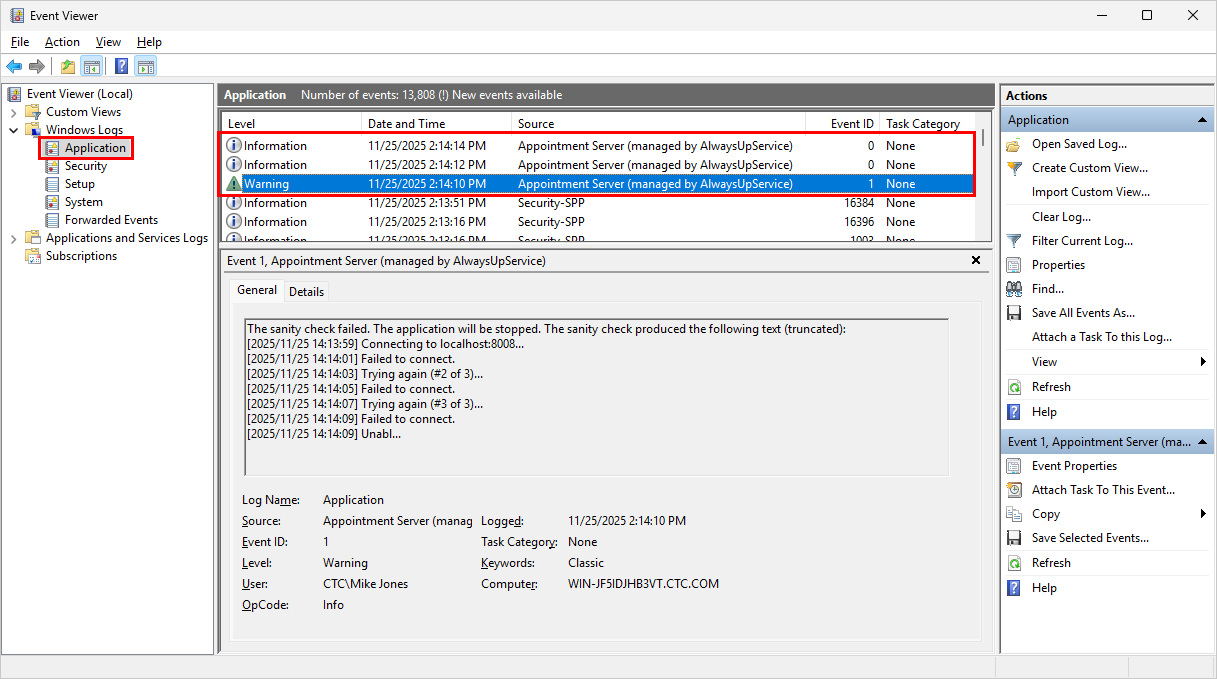
The bottom line is that you can rely on detailed logging from AlwaysUp when investigating incidents and providing root cause analysis to your management team.
Annex A 8.16: Monitoring Activities
As described in ISO 27001 Annex A 8.16, organizations should proactively and reactively monitor IT and security operations to prevent incidents, detect anomalies, and ensure compliance.
AlwaysUp fulfills those obligations by closely monitoring your business-critical applications and shouting whenever they misbehave.
For example, AlwaysUp can detect when your application consumes too much memory, CPU or resource handles. And email from AlwaysUp will quickly alert you of the trouble, as it did here when the “Appointment Server” stopped responding to network requests:

With those details in hand, you’ll be well positioned to investigate and determine if the situation requires your attention. For instance, is your application demanding too much CPU because it’s overloaded? Or is your network the victim of a denial-of-service attack?
In any case, AlwaysUp’s monitoring and early warning systems allow you to quickly intervene and prevent incidents before they occur. And that strengthens your security posture.
So that’s a quick look at how AlwaysUp aligns with your security best practices. Rest assured that our company will continue to follow bedrock ISO 27001 principles as we improve our software.
Finally, best of luck with your information security program! Please be sure to get in touch if you need any help with documentation or implementation.